Give the playtest one job
To get useful feedback on a browser game, share a working play link, name the part you want tested and ask about a specific moment. Keep the build identifier with each response. Then choose a change you can check in the next build. A broad request to “try everything and tell me what you think” leaves the player to design your test.
Start with a question such as whether a newcomer can finish the first round, understand a restart or use a movement mechanic. Explain the goal without showing the solution. Invite honest reactions and make it comfortable to stop: a player who gets stuck has given you something to investigate. This is a suggested working method, not a measured promise about response rates.
Find people who might enjoy this kind of game
Begin with people interested in the genre: existing players, a developer group you participate in or a community that explicitly allows playtest requests. Read its current rules before posting and ask the moderator if the right place is unclear. Explain who the test suits, what is unfinished and what kind of response would help. One relevant invitation is easier to respond to than a repeated promotional message.
Friends can help check whether the link opens, but label their feedback separately from first-time players. For a movement game, a newcomer and an experienced player can encounter different problems. Keep that context with the notes instead of combining everyone into a single score. Do not promise rewards for praise or present volunteer responses as a representative survey.
Ask three questions about actual play
Use clear tasks and questions that do not suggest a preferred answer. GOV.UK’s usability guidance describes this principle for moderated sessions; the game prompts here are our own examples. Let the player try the selected task before explaining your design. If you help them continue, record where you intervened.
“Is it fun?” can start a conversation, but a specific follow-up makes the answer easier to use. Ask which moment affected the decision to continue, what they expected and what actually happened. A complaint about difficulty might concern unreadable controls, a deliberate challenge or simply a mismatch in taste; the same fix will not address all three.
A playtest invitation you can adapt
The example below is fictional. Replace every placeholder, check the play link in a fresh session and keep only statements that match your build. A short, personal reason for making the game can stay alongside the practical details. Players still need to know what they will do, how to start and where to send a response.
Offer a clear stopping point rather than requiring an account, recording or long questionnaire just to help. If a recording would help your research, ask separately and respect a refusal. Use the destination you actually monitor, such as your own feedback form or the game’s discussion page. This template does not send invitations or recruit testers for you.
[Game] is a browser [genre] where you [action] to [goal].
I made it because [one personal sentence].

Play: [public playable URL] · Build: [version/date]
Please try: [one task] · Time: [your honest estimate]
Controls/devices: [tested details] · Content: [relevant notes]

Where did you hesitate? What made you continue or stop?
What would you change first, and why?
Reply here: [your feedback destination]. Thanks for trying it!Separate browser problems from game preferences
For a crash, blank screen, missed input or slowdown, request the build, device, browser and mode, then the steps leading to the problem. Ask what the player expected and what appeared instead. If they choose to share a screenshot, remind them to hide private tabs, account details and unrelated information. Do not require a password, login link or full browser profile.
Keep this separate from preference notes. “I could not move after closing the help panel” describes a possible interaction failure; “I would prefer slower movement” describes a preference until you understand the situation. Neither example is an observation of a listed game. Reproduce the reported case before claiming it is fixed, and record the tested environment rather than guessing universal compatibility.
Build / date:
Device / operating system / browser version:
Game mode / level:
Steps to reproduce:
Expected result:
Actual result:
Does it happen again after a restart?
Optional screenshot or clip with private information removed:
Turn a response into a checkable update
Keep a small record: build, player context, observed moment, expected behaviour and next action. First investigate barriers to opening or starting the build. Then choose a change related to your playtest goal. Repeated reports are a reason to investigate, not proof that every player has the same experience. Keep suggestions you decline with a short reason so they do not disappear from your thinking.
A useful update says what changed, which build contains it and what still needs testing. For example: “The restart prompt now names the key; please check whether you can start a second round without help.” This is a fictional update, not a claim that we tested a release. Invite previous testers back only when they opted in, and compare the same task in the new build.
Use your PixelGamesHub listing as a starting point
A creator can add up to three optional feedback questions when preparing a PixelGamesHub submission. Those questions appear with the public game details and link to its discussion. Reading stays open; posting a comment requires sign-in, and comments are reviewed before publication. Prepare the questions and a playable link before asking anyone to visit. A listing does not guarantee testers, replies or editorial selection.
After a release change, use My games to keep your own listing’s description, controls, connection notes and questions accurate. Editing can return a listing to review, so check its visible status before sharing the updated page. Keep a separate record of playtest findings: listing visits and play-link clicks do not establish that someone completed a session or enjoyed the game.
Official references
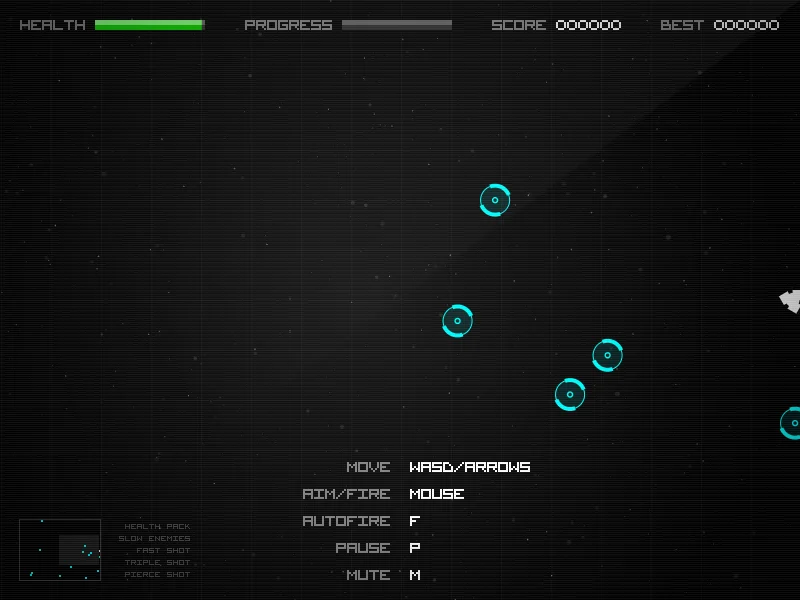
References checked: . The cover is a credited game screenshot, not output from this tutorial.
Keep going
Browser game guides
Practical reading for players and independent makers.
Write a game description
Learn from three fictional examples, then write an accurate introduction for your actual build.
Release checklist
Record manual browser-game checks and download a preparation report. No remote scan or compatibility certification.
Share your browser game
See what you submit, what stays private, and how review differs from visibility.