Thirteen seconds is the premise, not the full playtime
In Ben Clark and Salvatore Previti's xx142-b2.exe, you are a weaponized virus entering an alien network. The creators explain that its antivirus deletes you after 13 seconds and that traces from previous attempts help you reach the memory core. The short clock applies to an attempt; it is not a promise that a new player finishes the game in 13 seconds.
That distinction makes the idea immediately legible. You are learning a repeatable space while the previous run becomes part of the next problem. This is a look at a 2019 competition game, not a newly announced release. Its older date does not stop the central constraint from being a useful game-discovery story today.
Make your first run a route-reading exercise
Advance the introduction and look at the opening layout before trying to optimise every movement. Notice where you start, which passages you can reach and what blocks a route. Use the first attempt to form a small question, then use the next to test it. Rushing without a hypothesis makes a short timer feel more arbitrary than it needs to.
For a spoiler-light first session, change just one part of your route and watch what remains from the earlier attempt. The creators' backtrace premise gives you a reason to inspect repetition instead of dismissing it as lost time. We are not providing a complete level solution or claiming every later puzzle was checked.
The desktop controls are deliberately small
The documented controls are WASD or arrow keys for movement and Backspace to end the current attempt. The creator README names Chrome and Firefox with WebGL support. That is the creator's support statement; our recorded October 14 check covered the introduction, opening movement and countdown in desktop Chrome, not a new cross-browser or mobile certification.
Bring a keyboard and treat the timed retries as part of the experience. A phone opening the page is not evidence that touch controls exist. If pressure from a ticking clock is uncomfortable, use the game description and screenshot to decide whether you want this kind of short, repeated challenge before starting.
Why the constraint can be more interesting than a bigger map
The design appeal, in our reading, is that the timer concentrates attention on a small sequence of actions. You do not need to memorise a sprawling landscape to start forming a plan. The recurring space makes a change in timing or route easier to notice, which gives a compact game a strong identity.
This is an editorial interpretation of the documented mechanic and limited opening check, not a universal judgement that every player will enjoy repetition. If you prefer exploration without a deadline, UNDERRUN offers a different starting point. If you enjoy solving a bounded problem, the short-attempt idea is worth investigating yourself.
Play the original build and tell us what clicked
Our game entry preserves the original title, creator credits and a link to the creators' build. Use that entry to see the current control notes before playing. The source repository also explains the premise and identifies the original 2019 competition context.
A useful response after playing is the moment when an earlier attempt started helping your plan, without spoiling a whole level for everyone else. For creators, this is a concrete example of how one distinctive rule can carry an introduction: describe the rule, show it working and invite feedback on what players actually understand.
Official references
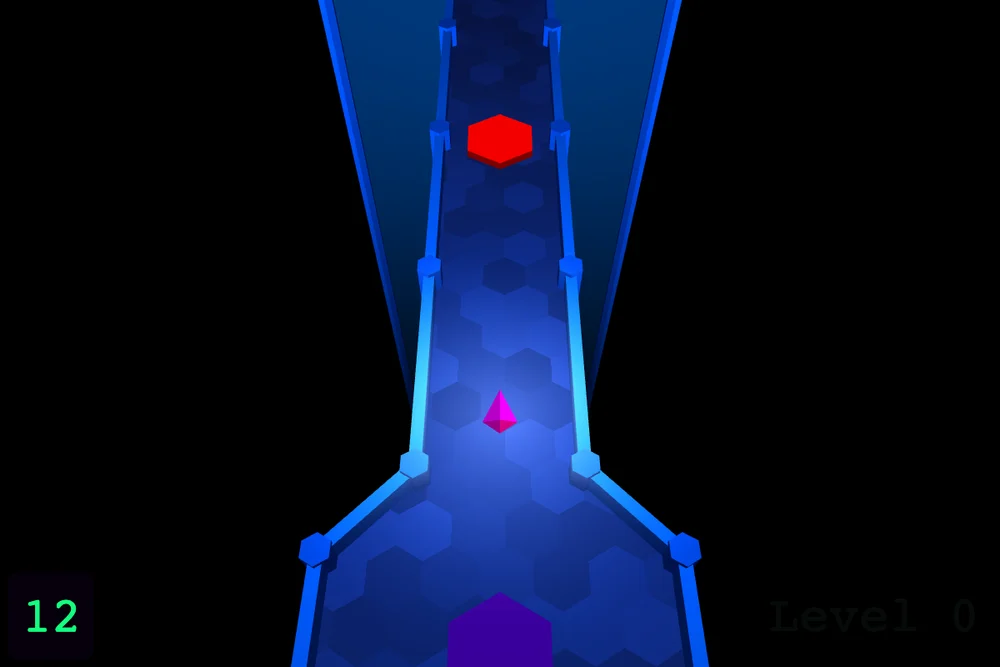
References checked: . The cover is a credited game screenshot, not output from this tutorial.
Keep going
Browser game guides
Practical reading for players and independent makers.
A tiny shooter’s atmosphere
Explore UNDERRUN’s dark corridors, desktop controls and deliberate 13 KB design constraint.
Are AI games fun?
Read Roblox Build’s October evaluation through player decisions and reasons to replay.
Find a game that fits
Search independent browser games and separate community listings from hands-on picks.