Lead with what a returning player will notice
Name the version and real release date, then describe the most useful visible change in the first sentence. Fixed several issues tells a player little. Jump now triggers on the first press after closing the pause menu gives them something they can check. Use that kind of wording only when it matches the shipped build.
Separate a release announcement from a behind-the-scenes devlog. Both can be useful, but the player deciding whether to return needs the playable link and the change first. Do not present a planned feature as available or relabel an old build with today's date to create apparent activity.
Group changes by their effect on play
Use a few clear groups such as new content, balance, fixes and known issues. Explain a balance change through its consequence: what action or decision is different now? Include exact numbers only when they are verified and useful, and distinguish a bug fix from a deliberate rule change.
Credit a reported issue with the player's permission or thank testers collectively. Keep internal task IDs and implementation details out of the lead unless they help players decide what to do. An unresolved limitation belongs in known issues, with a workaround only if you have checked it.
Explain saves, old tabs and multiplayer compatibility
State whether existing saves were tested with this version and what a player should do before switching builds. If you do not know, say compatibility has not been checked. Do not suggest clearing site data as a routine update step: it can remove local progress.
Check the visible version from a fresh visit as well as an already-open tab. If multiplayer clients must match the server, explain how to reach the current build using the game's supported process. Offline caches and old tabs deserve a real test, not an assumption that uploading files updates every player immediately.
Use a short template tied to a real build
The fictional example below shows a structure, not a release from a listed game. Replace every placeholder, verify every claim and remove groups with nothing to report. Keep a stable page for the complete history so a player can compare the version they used with the current one.
Example: Version [number], released [date]. What changed: [one visible improvement]. Why: [the player problem]. Try it: [direct build link and short steps]. Saves: [tested result or unverified]. Known issue: [remaining limit]. Feedback wanted: [one question]. A screenshot should show the current build and identify any staged scene.
Invite a focused return and close the feedback loop
Ask players to retry the action you changed and tell you their device, browser and build number. For example: after pausing twice, does the first jump still fail? That is easier to answer than asking whether the entire update is better. Keep a separate open question for enjoyment when the update changes the game loop.
On PixelGamesHub, return to the existing game entry and use the available creator editing flow for its current public information; avoid duplicate submissions for the same release. Check what is actually visible after saving. A new build does not automatically earn an editorial pick or a ranking boost. Our feedback guide and release checklist help you prepare a verifiable return.
Official references
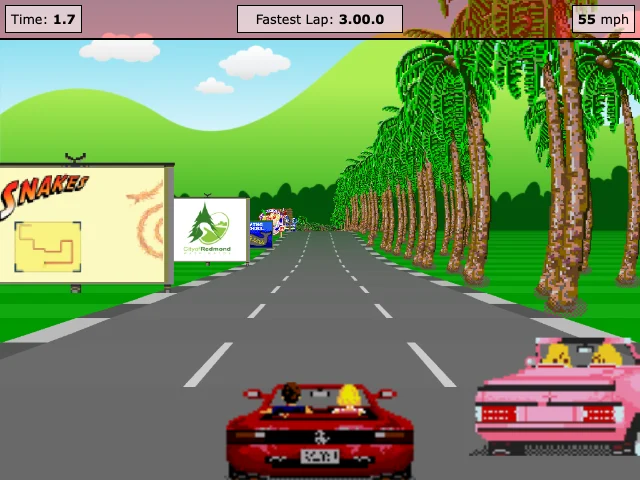
References checked: . The cover is a credited game screenshot, not output from this tutorial.
Keep going
Browser game guides
Practical reading for players and independent makers.
Useful playtest feedback
Recruit willing players, ask specific questions and turn feedback into a checkable update.
Release checklist
Record manual browser-game checks and download a preparation report. No remote scan or compatibility certification.