Why this small game is interesting
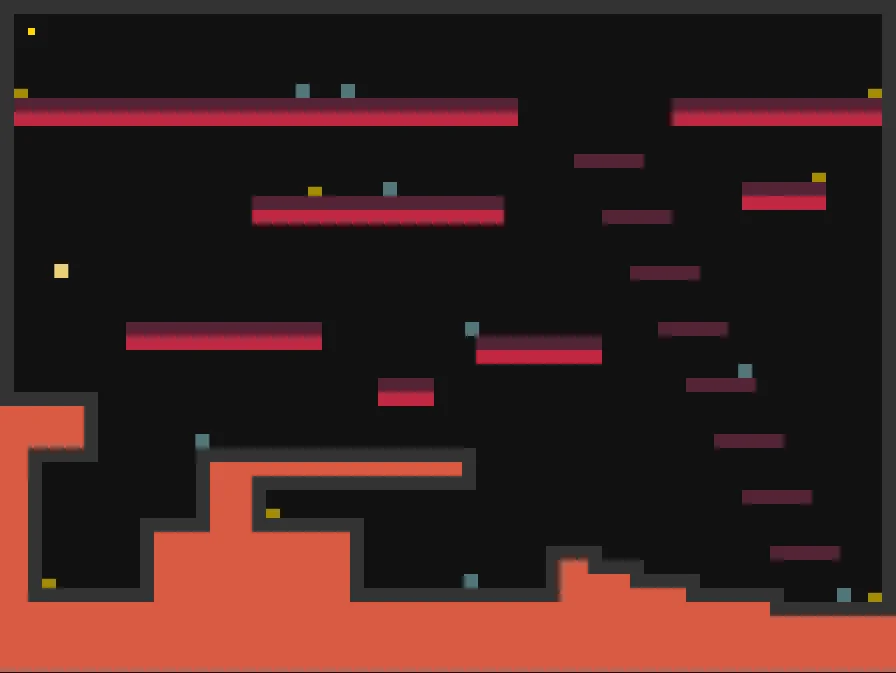
Tiny Platformer strips the platform game down to rectangles, ledges, gold and enemies. Jake Gordon's project is an older minimal JavaScript experiment, not a new AI release. Its appeal is how little scenery separates you from the movement problem.
If you enjoy reading a route and adjusting a jump, that directness is worth exploring. If you want a long campaign, elaborate characters or a modern progression system, this deliberately small demonstration has a different purpose.
How to get started
Open the credited game entry and follow the original play link. The keyboard setup recorded in our existing opening check uses left and right movement with Space to jump. Click the game area if the page has not given it focus.
Our earlier desktop opening check covered movement and jumping; it did not verify every browser, touch control or complete route. The author's source is useful for understanding the design, but browser support claims are not a substitute for testing your own device.
Read the level before jumping
Before pressing Space repeatedly, identify the next safe surface and the object you actually want to reach. A single-screen layout lets you compare several possible routes at once. That makes a missed landing easier to diagnose than a failure whose cause is off-screen.
Try separating two questions: did you choose the wrong route, or execute the right route poorly? The distinction makes feedback useful. A note about an unexpectedly short jump tells a creator more than a general complaint that the game is difficult.
A useful game to study
The source repository presents a very minimal platform game and links to the playable version. Its simple visual language leaves room to study movement, collisions and level placement without treating visual complexity as a measure of game quality.
It is not evidence that AI created this work. When using it as a learning reference, credit the original author and inspect the repository's license before reusing code. An original prototype can study the same movement problem with a different layout and rule.
Make your own small variation
In our prompt studio, the one-screen jump starter uses an original courier who collects letters, with a carrying constraint that changes jump distance. It is a proposed design brief, not a clone or a tested game made by the tool.
Ask your chosen AI to make movement and restart work before adding art. Then test whether a new player understands the goal. Continue with the prompt examples for that workflow, or explore JavaScript Racer for another small game built around a readable core action.
Official references
References checked: . The cover is a credited game screenshot, not output from this tutorial.
Keep going
Browser game guides
Practical reading for players and independent makers.
A road that feels fast
Explore Jake Gordon’s pseudo-3D browser racer and the readable relationship between steering, speed and the road.
Your first AI game brief
Three original starting briefs and a four-stage prompt pack you can edit, copy and test with your chosen AI.
AI game prompts
Turn a small game idea into editable design, build, test and iteration prompts. Local templates; copy or download without an account.