Start with the time you have
A browser game can be a five-minute experiment or a long commitment. Decide how much time and attention you have before choosing a genre. A short arena run suits a spare moment; learning a time-loop route may take several restarts even when each attempt is brief.
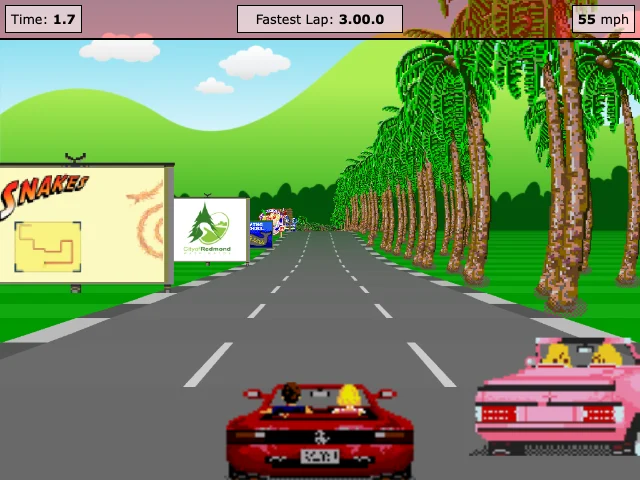
Our session lengths are editorial suggestions, not completion times or guarantees. Radius Raid, Tiny Platformer, and JavaScript Racer have five-minute suggestions; xx142-b2.exe has eight minutes and UNDERRUN ten. Those labels describe a useful first look at the builds we checked. They do not mean we finished a campaign in that time.
Match your device
“Runs in a browser” does not mean “works on a phone.” Check whether a game expects a mouse, keyboard, touch controls, or WebGL. Read the control list before opening the creator’s site, especially if you are using a small screen or cannot use a particular input method.
Our current five editorial picks were checked on desktop Chrome. We do not label them as tested on mobile. UNDERRUN uses keyboard movement and mouse aim; Tiny Platformer uses arrow keys and Space. If your device cannot provide those inputs, the lack of an install does not solve the control mismatch. Pick another game rather than relying on an untested compatibility claim.
Look for evidence
A useful recommendation explains an observed moment and its limits. Our UNDERRUN note describes the opening encounter and narrow sight lines. The xx142-b2.exe note says we checked the introduction and movement, not later levels. A review date and a named test environment tell you more than a generic “best game” badge.
Open the detail page to see the creator, source link, pricing, account requirement, content notes, and why we selected it. The screenshot should show the actual game. Those details cannot guarantee the third-party build will never change, but they tell you what the recommendation was based on.
Read the listing label
The community shelf shows maker-provided introductions. An awaiting-review label means we have not selected that game as an editorial pick. Being visible is not the same as being endorsed. The editorial view keeps the separately reviewed collection together.
Use the collection tabs to switch between all games, community submissions, and editor’s picks. Search by title, genre, or creator, then narrow by genre if it helps. Search and filter states are browsing tools, not separate curated guides. If a combination is empty, clear the filters rather than assuming there is a hidden recommendation behind it.
Play at the original source
The play button opens the creator’s destination in a new tab. PixelGamesHub does not mirror these games inside an iframe. The destination’s current terms, privacy choices, and any sign-in or payment request apply there. A free listing on our shelf is not a promise about every future version of a third-party site.
If the build no longer opens or contradicts our notes, send us the detail-page URL and what happened. Include your browser and device if a control or display failed. That gives us enough information to recheck the recommendation without asking you to provide personal account details.