Unblocked at school & workPuzzleNo download

2048 Number Merge Unblocked

2048 Number Merge loads as a single HTML5 page on PixelGamesHub, so most school and office filters that block app stores or Flash plugins still let it through. Jump into 2048 and chase a higher score across short, replayable rounds. Use Mouse (primary input) and Touch (mobile input) to start a 8-minute puzzle session between classes or on a break.

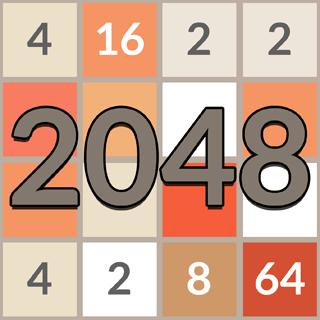
2048 cover artwork
4.5 rating8 minutes session
Key facts

Quick answer before you play

Play ready
Price
Free
Platform
Web browser
Play status
Play instantly in your browser
Session
8 minutes
Age rating
Everyone
Source
Third-party browser embed
Gameplay guide

Gameplay summary and how to play 2048 Number Merge

2048 is a Famobi browser game embedded on PixelGamesHub. Play directly in the page with no install — quick rounds, instant restart, and a clean iframe that fits any device.

Objective

Jump into 2048 and chase a higher score across short, replayable rounds.

How to play
  1. 1Click play to load the 2048 iframe; sound and inputs activate after the first interaction.
  2. 2Use mouse or touch on mobile, and keyboard arrows where shown by the game's own intro.
  3. 3Restart from inside the iframe to chase a cleaner run whenever a round ends.
Quick tips
Warm up with one slow round before going for score.
Mute the iframe if you prefer your own background audio while playing.

Related links

Network Filters and Why 2048 Passes K-12 Chromebook Restrictions

Many schools and offices use network filtering software like GoGuardian, Securly, or Lightspeed to manage what users can access on managed Chromebooks. These filters evaluate domains, safety categories, and interactive features. 2048 Number Merge often remains accessible because it runs entirely in the browser using lightweight HTML5 code, which is frequently delivered via clean iframes. Because it functions as a simple static web application rather than a complex multiplayer setup, it sidesteps security triggers that flag modern gaming platforms.

Furthermore, network administrators prioritize blocking sites that pose high security risks. Unlike large online hubs, a self-contained puzzle game like 2048 has no unmoderated chat rooms, user-generated content, or microtransactions. This clean profile makes it highly unlikely to trigger category-based filters designed to block violent media or social networks. While an administrator can manually block any domain, the safe profile of this sliding puzzle means it is often classified as a harmless logic tool.


The Advantages of Browser-Based Puzzle Mechanics Over Native App Installs

On managed school devices, installing native software is restricted by Chrome management policies. This is where browser-delivered games show their value. Since the game executes client-side JavaScript within your browser, there is no need for administrative privileges to download setup archives. This lack of a physical footprint prevents security risks and avoids cluttering up the limited local storage available on educational Chromebooks.

However, if an institution blocks a domain at the network level, attempting to use unauthorized proxy tools or virtual private networks to bypass the filter is not advisable. These bypass techniques often violate acceptable use policies and trigger alerts to IT departments. If the domain is blocked, the best approach is to play during breaks on personal devices or wait until you are on an open network.

Strategic Planning for Quiet Study Hall Breaks

Playing 2048 during brief intervals requires a strategic approach that does not demand deep math calculations, making it an ideal silent activity between classes. The most reliable strategy is the corner method. Pick one corner of the grid—typically the bottom-right—and keep your highest-value tile locked in that single position. By restricting your movement inputs to only three directions, such as down, left, and right, you prevent smaller tiles from trapping your larger numbers.

This movement pattern keeps your board organized and makes it easier to merge matching tiles in ascending order along the bottom row. It is crucial to watch the board state before making quick swipes, as a single misplaced move can force your highest tile out of its corner. Developing this deliberate, rhythmic style of play ensures that you can pause the game instantly when a class begins, leaving the board stable for your next free period.

2048 Number Merge FAQ

Why is 2048 Number Merge usually unblocked at school or work?

2048 Number Merge is a single HTML5 page on PixelGamesHub. It does not use Flash, does not require an external app store, and does not request an installer — so most network filters that block app installs or Flash portals still let it load.

Is 2048 Number Merge safe on a school chromebook?

2048 Number Merge runs inside a sandboxed iframe on PixelGamesHub. It does not write outside browser storage and does not require any installer. School-managed Chromebooks that allow the open web should load it without policy violations, but check your school's acceptable-use policy first.

What is the goal in 2048 Number Merge?

Jump into 2048 and chase a higher score across short, replayable rounds.

How do I play 2048 Number Merge?

Click play to load the 2048 iframe; sound and inputs activate after the first interaction. Then use mouse or touch on mobile, and keyboard arrows where shown by the game's own intro.

What are the controls for 2048 Number Merge?

Mouse: Primary input; Touch: Mobile input; Keyboard: When shown

What kind of game is 2048 Number Merge?

2048 Number Merge is a quick play, famobi puzzle game. Jump into 2048 and chase a higher score across short, replayable rounds.

Disclaimer

2048 Number Merge may load a remote third-party iframe on the playable page. PixelGamesHub keeps this landing page informational and preserves the original provider embed behavior.

